Hi All,
Tim alerted me to this thread.
Ok few things...
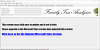
The old Microsoft Click Once installer that I've used for years has been playing up lately and as Bob rightly says Windows Defender has been suggesting EVERY update needs you to confirm it's ok to run. So how to fix Microsoft saying Microsoft's installer might not be safe....Hmm annoying. This is the message that "At Home in NZ" got too Microsoft complaining their own installer might not be safe (they don't say it isn't safe they just say they don't know because they haven't seen the app enough times and I've not paid them a fee to make it show as safe).
Well given Windows 7 is officially dead and I only now need to support Windows 10 (yes there's 8.0 and 8.1 but to be honest they are so horrendously bad I cannot for a minute imagine why anyone running them wouldn't this instant
upgrade to Windows 10 for FREE) so I decided to see if I could get the app to run on the Windows 10 Store.
A Windows 10 Store app comes with a lot of advantages,
- Microsoft automatically check it for issues and certify it as safe and signed by Microsoft as safe - thus making it trusted by Windows Defender and all Internet Security applications
- Windows 10 store is how Microsoft are pushing all application installs so it is likely to be the way more and more people get applications in Windows 10
- Windows 10 store auto updates applications without the user having to do anything or even need to be aware it's updated
- The store back-end website auto uploads any crash logs so that I have diagnostics of what caused the app to crash - thus avoiding having to have users report issues
- There is prestige and wider visibility in the genealogy community from having a store app that can be easily publicised
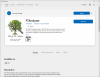
So that's the route I've gone down. I've launched a new version on the Windows 10 store.
There's a few issues that's arisen around how the store installs things. This has highlighted a couple of problems...
- Store apps by default need you to login to the store. Most PCs will have already been logged in automatically as part of Windows 10 login but some have not - you get a prompt to login if this is the case
- Some users would be on an old version and won't have upgraded because they aren't a member of the Facebook user group or they aren't on this forum
- To fix this I created a dummy upgrade called v7.6.3.9999 which has the annoyingly large warning message saying stop using this version
- I then redirected people to using the Microsoft store version - as this old version using a click once installer would NEVER be updated in future
- Manually loading it from the releases folder is a bad idea because I ACTIVELY want to stop creating those they are a right royal pain to create and I hate it.
- It means users are locked on old versions if you use a release version from GitHub
- Some other minor issues about the store app installing in a slightly different place have arisen causing me to need to issue some tweaks
- The biggest issue
 has been the store doesn't create a desktop icon so you need to manually create one by dragging the icon to the desktop
I have seen one other person saying the install button showed the app was owned but the install button didn't do anything. So this is the second report of the problem. I'll need to do more research but my gut feeling is it's a login issue. It says you own it but the PC isn't on that account I think. There will be a reason so I'll investigate and get back to you.
Meantime v7.6.6 is the current version I'll stick out a release version soon (it does take me 20-30 minutes to manually create which is why I hate doing it) so that anyone who is on an older release can be on the latest version. As v7.6.4 has a few show stopping bugs to do with duplicates.
Hope this helps.