Bob Spiers
LostCousins Superstar
I presume you mean as displayed in Ancestry format...Icon/User Name/cousin relationship/Tree information/view match ...in which case I would think copying as such would not allow for isolating the user name to allow an Excel Custom Sort. (But could be wrong of course).Can one of you spreadsheet experts tell me how to copy my Ancestry DNA matches (not all of them, just the ones on the page) to a spreadsheet in such a way that I can sort them by user name?
If you do not mind a little more work you can achieve a CHEAT form of searching within a Spreadsheet by using the 'web capture' facility in Ancestry. (Make sure you have an Excel blank page open with at least one column wide enough to paste the captured item). Then FOR EACH item you wish to transfer to the spreadsheet, do the following:
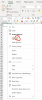
In Ancestry: right click to the left of the selected outline box and from the list select 'web capture'. Then 'Free Select' (which will require you to drag the mouse to 'white out' the item) then 'Copy'.
In Excel: Select 'Paste'. (You can use the tried and trusted Ctrl C and Ctrl V if you prefer). The single item will now show in Excel as it does in Ancestry.
NOW DO THE SAME FOR EACH ITEM YOU WISH TO TRANSFER TO THE SPREADSHEET. YOU CAN CAN CHANGE THE ORDER AT WHICH THEY APPEAR IN THE SPREADSHEET EACH TIME IF YOU WISH, OR JUST LAYER THEN AS IN ANCESTRY, AND SORT WHEN YOU HAVE TRANSFERRED ALL THE ITEMS.
To MANUALLY REPOSITION left click in a blank area and holding the mouse button, move to its chosen USER NAME position.
Simples!
(Mind you it may not be what you seek, but it is the only way I can think of for allowing Ancestry DNA matches to be sorted, unless Phil or he/she of similar genius, (meant sincerely) can come up with a better solution)