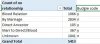
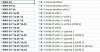
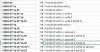
Using the program I've written is just like using any other program, absolutely NO programming or anything like that needed. Once you've downloaded it and run it, you can load up your GEDCOM file and click on the Individuals tab. This will show you the individuals and your code, this is an example from my file...
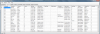
NB. It doesn't normally show the names all fuzzy like that, I was just obfuscating the names of living individuals in my file.
So for you, all you'd do is load your file open the individuals tab then click "BudgieCode" to sort by that column, then view the codes to see if they look right for your file, or if I've made a mistake somewhere. I've not yet released this version but if you are happy to try it then I'll upload this version as soon as I know.
NB. It doesn't normally show the names all fuzzy like that, I was just obfuscating the names of living individuals in my file.
So for you, all you'd do is load your file open the individuals tab then click "BudgieCode" to sort by that column, then view the codes to see if they look right for your file, or if I've made a mistake somewhere. I've not yet released this version but if you are happy to try it then I'll upload this version as soon as I know.