• Only registered members can see all the forums - if you've received an invitation to join (it'll be on your My Summary page) please register NOW!

  • If you're looking for the LostCousins site please click the logo in the top left corner - these forums are for existing LostCousins members only.
  • This is the LostCousins Forum. If you were looking for the LostCousins website simply click the logo at the top left.
  • It's easier than ever before to check your entries from the 1881 Census - more details here

Problems with Ancestry - where shall I start?

  • Thread starter Thread starter At home in NZ
  • Start date Start date
A

At home in NZ

Guest
I have some odd things happening which are bugging me.
1. I am getting a banner about how Ancestry used Cookies, it will not go away, every time I hit the cross it bounces back again on the next screen I use. This has been happening for a few days now.
I tried logging out and in again but that had no effect.

2. When looking at a record, say a 1901 census for example, I usually go into the actual document (they call it view image). In the past I have been able to go back to the transcription by using the back arrow in the document. It is now going back to where I found the transcription which means I have to bring it up again so I can attach it to the person(s) in question.

3. It appears that some of the Status settings are being changed. I have looked at my tree view on occasion and found somebody who was added some years ago and is near the top of the tree and long since dead, with the status of living when it should be deceased. I recently found one that was the wrong way round for a living person, it was in somebody else's tree. I did advise the tree owner but it disturbs me that this can happen because of the privacy aspect.

I am not going to report any of these issues to Ancestry because they never understand what is wrong, they spout the FAQs instead of doing any initial investigation.
I am still waiting for them to tell me how to fix the problem in my view, I don't like the flashing colours and bouncing words that occur when the Highlight Households, Text Tips, Name Labels and Column Labels are switched on. Mine will not switch off and that began after I cleared my cache and cookies at their behest.
EDIT: These are working for me now!

I wonder how many other Ancestry users are having these annoying things happen?
 
Last edited by a moderator:
I wonder how many other Ancestry users are having these annoying things happen?
The first one has been happening to me on and off for some time across several browsers and devices. And yes, it is annoying.

I haven't noticed the others, but I always open images in another tab so the transcription (or whatever) is still open in the previous tab.
 
I always open images in another tab
I do that when I know I need the image in order to type something. But, when I don't need to keep it open it's just another step in the process that I could do without. Even if it does only take a second or so, it's adding to the mouse use which as we all know can and does cause RSI or whatever it's called now.
I've still got that darned Cookie notice, grrrrrrr.
 
Ancestry has been very busy indeed since the DNA changes were announced, and one of the problems I've noticed is that I keep getting switched to Ancestry.com (from Ancestry.co.uk). It's possible that something similar explain some of the problems you're experiencing (since each site will have it's own cookies).

Presumably you don't reject the cookies? It might be worth trying a different browser, to see whether that makes a difference.
 
I keep getting switched to Ancestry.com (from Ancestry.co.uk). It's possible that something similar explain some of the problems you're experiencing (since each site will have it's own cookies).
I can't speak for anyone else but that isn't what's happening with me. The banner is showing when I'm on the ancestry.co.uk site, and I'm accepting cookies from both anyway.

Also, it's happening here with 3 different browsers and on 4 different devices - which suggests to me the problem is probably not at my end.

I'm afraid that based on past experiences of contacting support, when I get problems like this at Ancestry, I just grit my teeth and wait for them to sort it - this week, next week, some time, never!
 
At Home, Pauline.
What OS are you using and is it up to date?
What Internet Browser are you using, and is it up to date?
Which Ancestry site are you using?
 
I agree totally annoying. I had the 'cookie' experience a few weeks back, but it seems to be behaving recently. The back arrow taking you to a random place is equally infuriating when it used to work, and finally my pet peeve is taking me to the .com site and then happily telling me I'm not allowed there. Reminds me too much of upgrades at work when you then have to spend hours putting all the applications back to how you want to see/use them. I contacted Ancestry and all I got from them was to clear cookies from my browser which did precisely nothing to solve the issue.
 
I wonder how many other Ancestry users are having these annoying things happen?
My latest annoyance is being continually asked to "come back later" &/or "reload the page", but the most annoying & constant problem is being asked to log in all the time & then not being returned to where I was at but rather to the home page.
Ancestry's 'service', as they call it recently, certainly seems far less reliable than ever before; I think they just can't keep up with demand & that pressure is leading to all sorts of issues which are making users experience far less enjoyable.
 
What OS are you using and is it up to date?
What Internet Browser are you using, and is it up to date?
Which Ancestry site are you using?

Windows 10, not sure which version and don't know how to look for it. definitely up to date.
Using Chrome.
Ancestry.co.uk

I don't get swapped from one site to another in Ancestry and it's a simple fix if you do, just choose the correct site from the drop down in 'Visit our other sites' at bottom right of screen.

My latest annoyance is being continually asked to "come back later" &/or "reload the page"
I notice this happens occasionally. Usually if I try to open an attached transcription while the fact it is attached to, is highlighted. Not sure if that's clear?
 
I have not noticed the problems reported by other members but I have found a change within the last week or so.
When searching for a census entry, I find the transcription and then the image of the census form as normal. However, when I use the back arrow at top left of screen, the display does not change and I remain with the census form. A double click on the back arrow has sometimes taken me back to the transcription but not always. Sometimes it has never returned and I have had to delete the browser tab and create a new one to continue.

My latest annoyance is being continually asked to "come back later" &/or "reload the page"

I think this might be related to Ancestry performing back-ups of that part of the database. If I return after 5-10 mins then it seems to be back to normal.

Windows 10, not sure which version and don't know how to look for it.

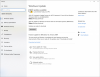
Look at 'Windows Update' within 'Update & Security' within 'Settings'. Select 'View update history' and any installed updates will be listed showing the version number applicable.
 
installed updates will be listed showing the version number applicable.
Thanks for the guidance, I so seldom need to look for this I can never remember where to look.
I have version 1903
 
I think that most people would expect to be on Version 1909 by now.
I always allow updates to run when I get the alert via the power button, i.e. update and shut down.
I therefore assume everything is up to date. A new version has never been presented to me for installation so how am I supposed to know about it?
 
I therefore assume everything is up to date. A new version has never been presented to me for installation so how am I supposed to know about it?

That is how MS would like things to be. Updates are processed automatically and you get no explicit visible notification about successful updates unless you look for them but sometimes there is the odd hiccup and checking for updates will indicate the latest situation. If you click on the 'Check for updates' button then you will be informed after a short while during which chasing dots show that something is happening. The result of the check may indicate that your system is up to date. That would just mean that you are well down the list of users waiting for the 1909 update. There are many millions in that situation and they cannot all be serviced at the same time.
 
I have not noticed the problems reported by other members but I have found a change within the last week or so.
When searching for a census entry, I find the transcription and then the image of the census form as normal. However, when I use the back arrow at top left of screen, the display does not change and I remain with the census form. A double click on the back arrow has sometimes taken me back to the transcription but not always. Sometimes it has never returned and I have had to delete the browser tab and create a new one to continue.
.

This has been happening a lot. Very irritating when trawling through many results to have to start all over again.
 
That’s because you already have updates available -
I meant I don't have the button referred to.
I can see they are available but I will wait until I get the prompt, as I always do.
 
Back
Top