

Tomb
LostCousins Member
OK, here is my challenge. In the process of attaching a wife/spouse in the Tree tab on the People workspace I sometimes end up with a higher number of spouses shown beside the 'Choose Spouse' icon. This is despite the fact that I have entered the correct spouse and there is only one of them. This has usually arisen when I have changed the original spouse entry and used the 'Person' Menu to detach the selected person. I end up with the spouse I want but on pressing the 'Choose Spouse' icon in the sample shown it displays a double entry of (No Spouse Entered) in addition to my correct spouse. The number beside the icon shows 3. Can any one tell me how to get rid of the (No Spouse Entered) and bring the number of spouses back to 1 ? The Companion Guide does not address this.
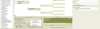
Hey! I have found the answer. I wanted to get rid of the (No Spouse Entered) entries against Alexander Chrystie. I went to the 'Person' Menu to detach the selected person. On the Detach Alexander Chrystie panel that appeared were the two unknown spouses requiring a tick to remove them. Press OK and Hey Presto! The 'Choose Spouse' icon went back to the default position and only showed the number 1 beside it. Isn't it amazing how you solve your own problems when you start to ask the question!!!!
Hey! I have found the answer. I wanted to get rid of the (No Spouse Entered) entries against Alexander Chrystie. I went to the 'Person' Menu to detach the selected person. On the Detach Alexander Chrystie panel that appeared were the two unknown spouses requiring a tick to remove them. Press OK and Hey Presto! The 'Choose Spouse' icon went back to the default position and only showed the number 1 beside it. Isn't it amazing how you solve your own problems when you start to ask the question!!!!


